


Description
The modern customer demands instant, relevant support. This plugin is designed to bridge the communication gap on your WordPress site, providing visitors with a seamless, secure, and immediate way to ask questions, whether they are browsing a standard page or considering a product purchase. By transforming passive viewers into active inquirers, you boost engagement and enhance user trust.
Core Functionality & Features
A flexible “Ask a Question” form solution designed to be quick and convenient for any WordPress page, post, or widget area. Instantly capture user inquiries with a customizable button that triggers an inline or modal form, featuring secure AJAX submission and powerful anti-spam protection.
- Universal Placement: Easily add the inquiry form using a simple shortcode on any WordPress page, post, or template.
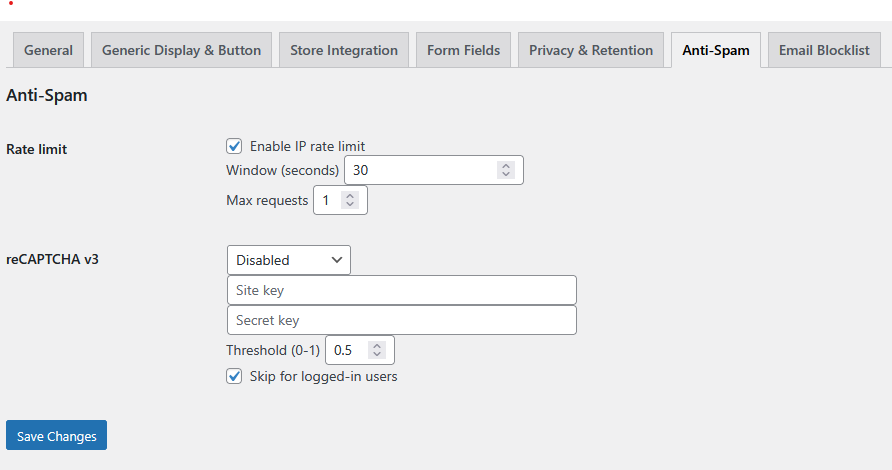
- Security Focused: Features nonce validation, a honeypot, IP rate limiting, and optional reCAPTCHA v3 to block spam.
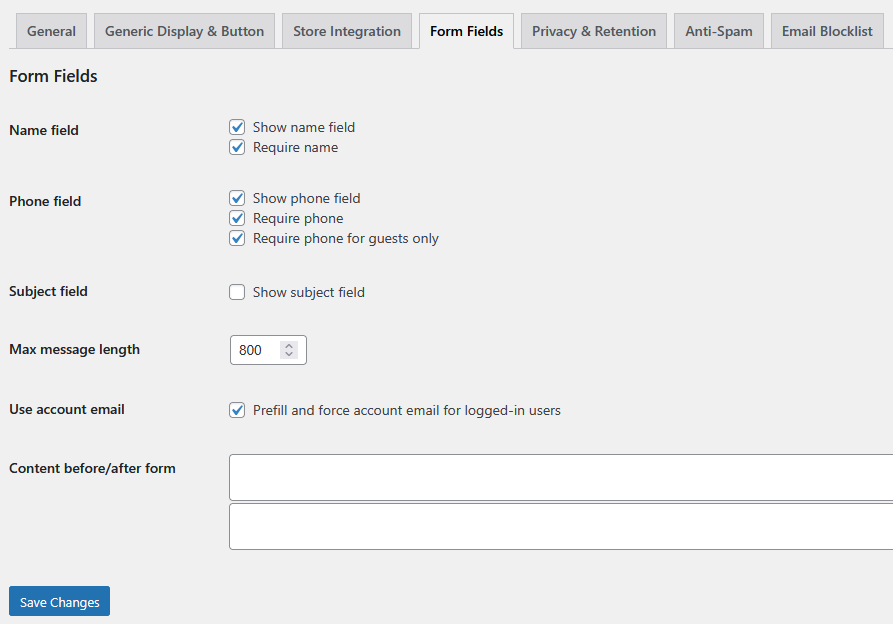
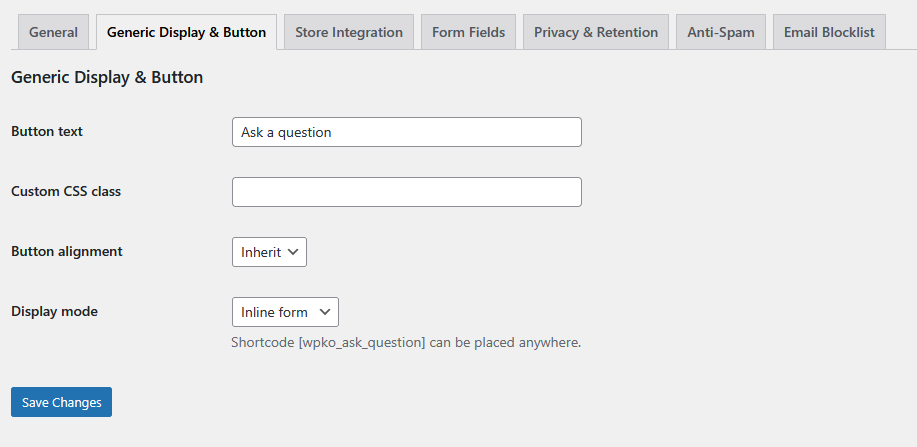
- Customizable Forms: Control field requirements (subject, phone, consent), custom copy, and form display (inline or modal).
- Integrated Logging: All submissions are stored in a dedicated Custom Post Type (CPT) for easy administration and review.
The Ask a Question Plugin is a robust communication tool designed to easily capture customer and visitor inquiries anywhere on your WordPress site. By providing a clear, secure, and user-friendly way for users to ask questions, you can enhance trust, improve engagement, and gather valuable feedback. Whether you need a simple contact form on a landing page or a detailed inquiry form tied to a specific product, this plugin provides the flexibility and security you need.
Core Features and Technical Details
1. Universal WordPress Functionality
- Shortcode Enabled: Easily deploy the form anywhere using the shortcode
[wpko_ask_question]. - Flexible Display: The form can be displayed inline within the content or as a clean, engaging modal pop-up.
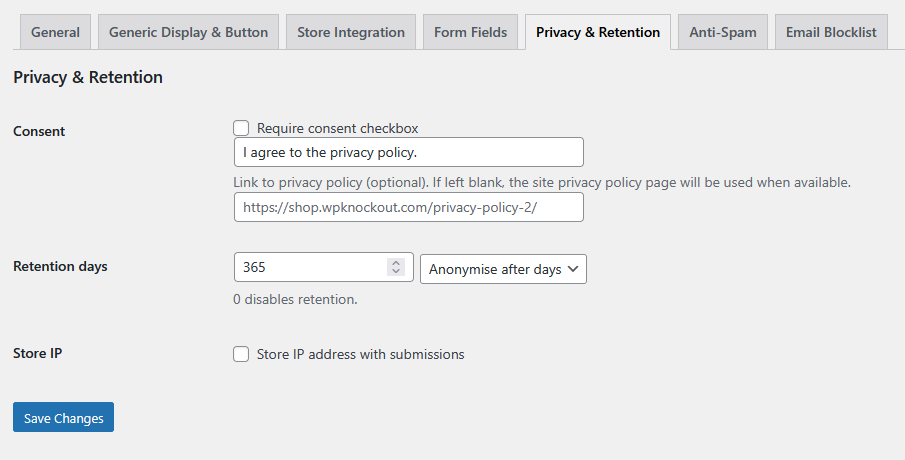
- User-Friendly Form: Configure optional fields for subject, phone number, and a consent checkbox to meet privacy requirements.
- Code-Friendly Deployment: Developers can integrate the form directly into themes using PHP:
echo do_shortcode('[wpko_ask_question]');.
2. Advanced Security and Logging
- Robust Anti-Spam: Submissions are protected by standard WordPress nonces, a hidden honeypot field, an adjustable IP rate limit, and optional reCAPTCHA v3 integration.
- Email Blocklist: Prevent unwanted traffic with a configurable email blocklist.
- Comprehensive Logging: Submissions are stored in a dedicated Custom Post Type (CPT) within the WordPress admin area, simplifying management. Logs are retained for the last 365 days (max 1000 entries) with clear retention controls.
- Reliable Emails: Notification emails include detailed HTML information about the submission, set the
Reply-Toheader to the submitter’s email, and are fully compatible with SMTP plugins for high deliverability.
For WooCommerce Plugin Integration
Note: The core “Ask a Question” functionality does not require WooCommerce and is ready for standard WP use
This feature allows you to fully integrate product-specific support into your shop, but it remains entirely optional and toggleable to suit your needs.
Key Features:
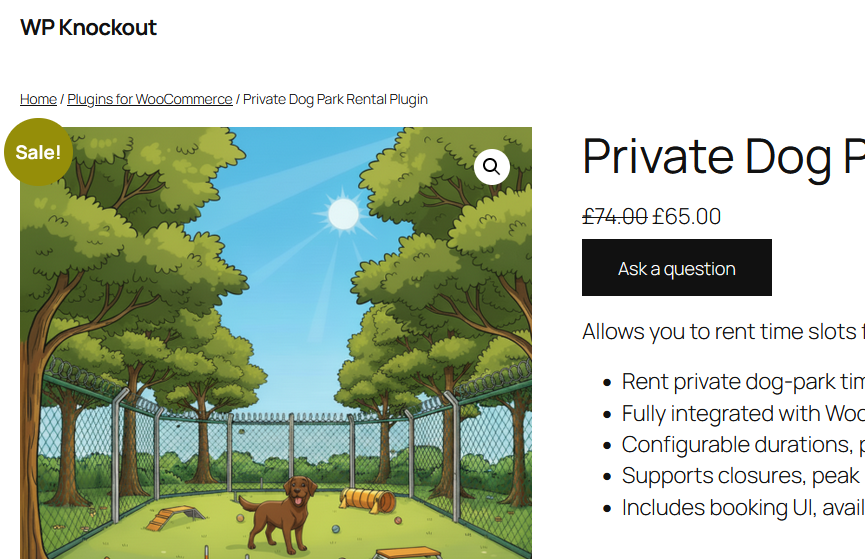
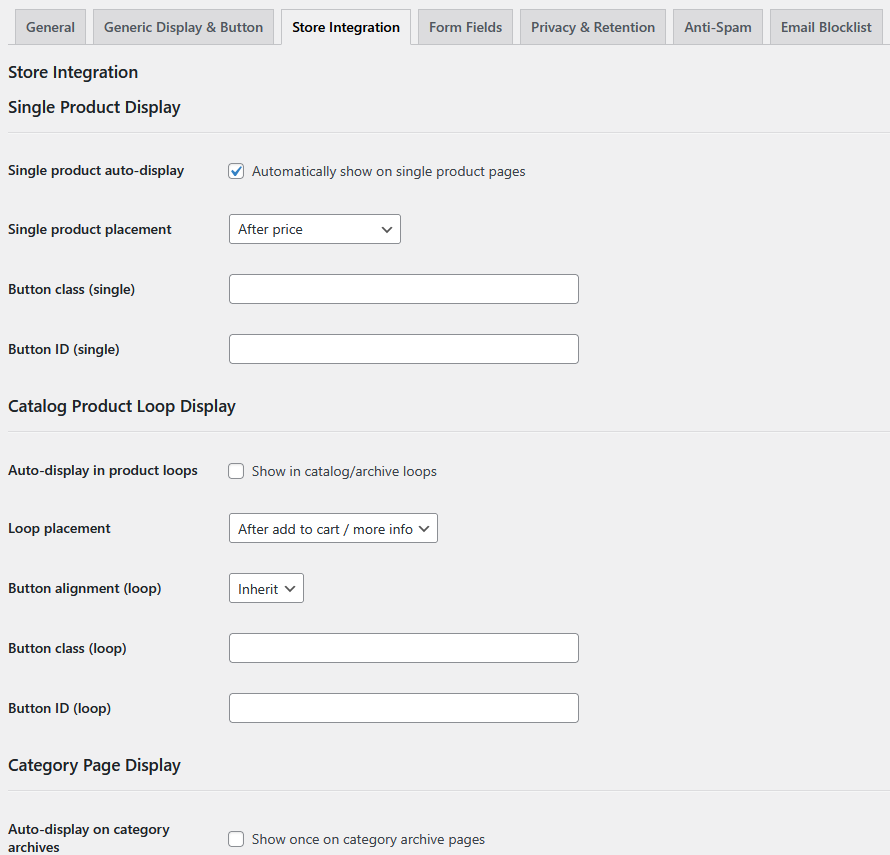
- Display on Product Pages: Customers can instantly ask specific questions about the product they are currently viewing.
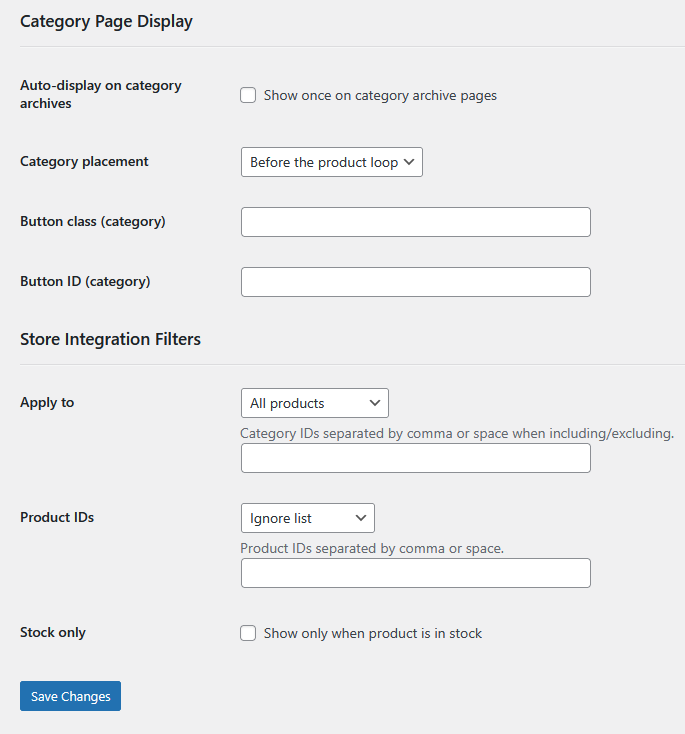
- Display In Category Archives: Shoppers can inquire about products while browsing a collection of items.
- Display Within Product Loops: The button is available wherever products are displayed in a list or grid layout.
- Actionable Contextual Details:When a customer asks a question, the resulting email is automatically populated with helpful details for you and your support team, including:
- The specific product they were viewing.
- The referrer URL (where they came from).
- Current cart contents (if applicable), offering valuable insight into their purchase intent.
- Precise Per-Product Control:You have granular control over how the form appears, allowing you to manage support needs on a product-by-product basis:
- Enable/Disable: Completely turn the form on or off for specific products.
- Customize Button Text: Personalize the call-to-action (e.g., changing “Ask a Question” to “Request a Quote” or “Check Availability”).
Disclaimer: This plugin is developed independently and is not affiliated with, endorsed by, or supported by WooCommerce or Automattic. It requires WooCommerce to be installed and active for booking and checkout features.

Reviews
There are no reviews yet.